
Download CalCam AI Calorie Tracker – calorie tracker, food scanner, AI nutrition app, meal analysis, healthy eating, weight management, diet planner, nutrition insights, food database, calorie counting app
Overview
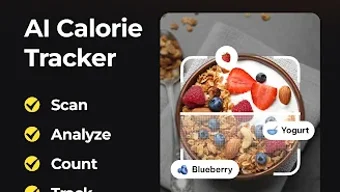
CalCam is an Android-based application designed to simplify calorie tracking and nutritional analysis through the use of artificial intelligence. The app enables users to capture a photo of their meal, after which it automatically identifies the food items and estimates their caloric and nutritional content. This functionality supports individuals aiming to manage their dietary intake more effectively, whether for weight loss, maintenance, or muscle gain.
The solution is particularly suited for health-conscious users, fitness enthusiasts, and those seeking a structured approach to eating habits. By leveraging AI-powered image recognition, CalCam reduces the manual effort traditionally required in food logging, offering a faster and more intuitive experience. The app integrates a comprehensive food database that includes packaged, restaurant, and homemade meals, allowing for broad coverage across diverse eating patterns.
Real-world use cases include daily meal logging for weight management, tracking macronutrient balance for specific diets like keto or vegan, and monitoring long-term dietary progress. The developer, CalCam Technologies, has positioned the app as a smart, adaptive tool that personalizes nutrition goals based on user input and evolving progress.
Key Features & Capabilities
- AI-Powered Meal Scanning: Users can take a photo of their meal, and the app uses artificial intelligence to detect food items and estimate their caloric and nutritional values.
- Extensive Food Database: The app includes a wide range of food types, from packaged products to restaurant meals and homemade dishes, enhancing accuracy and usability.
- Personalized Nutrition Goals: CalCam adapts to individual objectives such as weight loss, maintenance, or muscle gain, adjusting targets over time based on user progress.
- Smart Macro Tracking: Supports dietary preferences including keto, vegan, and other lifestyle-specific macros, offering tailored insights for different nutritional approaches.
- Detailed Progress Reports: Provides visual and analytical summaries of daily, weekly, and monthly intake, helping users understand their eating patterns and make informed decisions.
These features are designed to streamline the process of maintaining a healthy diet. For instance, a user can snap a photo of a lunch from a local café and receive instant feedback on calories, protein, carbs, and fats. This immediate insight supports mindful eating and long-term dietary consistency.
The integration of AI reduces user fatigue associated with manual food logging, making it ideal for individuals with busy lifestyles. The app’s ability to adapt goals over time ensures that users remain on track even as their body composition or habits change. This dynamic approach supports sustainable health outcomes rather than short-term fixes.
User Interface, Workflow & Performance
CalCam features a clean, intuitive interface optimized for mobile use, with a primary focus on photo capture and instant analysis. The navigation is straightforward, guiding users through the meal logging process with minimal steps. The main screen centers around the camera function, with clear prompts and real-time feedback after image capture.
Users can review the detected food items, adjust portion sizes, and confirm the analysis with a few taps. The workflow is designed to minimize friction, allowing for quick logging without interrupting daily routines. While specific performance data such as CPU or RAM usage was not provided, the app’s lightweight nature—measured at 45.6 MB—suggests efficient resource management.
The developer did not specify exact performance details, but the app’s reliance on AI processing implies that background operations may vary based on device capabilities. Stability and responsiveness appear to be prioritized, given the seamless integration of image recognition and data retrieval. General software behavior patterns suggest consistent performance on modern Android devices, though results may vary depending on hardware and network conditions.
Compatibility & System Requirements
CalCam is designed for Android operating systems and is available in version 2.1.3. The application has a file size of 45.6 MB, indicating a compact installation footprint. This makes it accessible even on devices with limited storage.
The developer did not provide detailed system requirements, including minimum RAM, processor specifications, or Android version compatibility. As such, users should verify compatibility with their specific device models. Platform compatibility information is limited to the general Android ecosystem, and no support for iOS, Windows, or Mac was mentioned.
The app’s reliance on camera functionality and AI processing suggests that it may require a device with a functional camera and sufficient processing power for real-time image analysis. Exact performance expectations were not specified, but the lightweight size and focus on mobile optimization imply broad accessibility across mid-range and high-end Android devices.
Pros and Cons
Pros
- AI-powered meal scanning reduces manual input and speeds up logging.
- Comprehensive food database supports diverse meal types.
- Personalized goals adapt to user progress over time.
- Smart macro tracking caters to various dietary lifestyles.
- Lightweight installation at 45.6 MB.
Cons
- Limited to Android; no support for other platforms.
- Exact system requirements were not specified.
- AI accuracy may vary depending on image quality and lighting.
- Subscription or one-time purchase model not detailed beyond price.
- Offline functionality details were not provided.
FAQ Section
Is CalCam available for iOS devices?
As of the current release, CalCam is only available for Android. No information was provided regarding future iOS support.
How secure is my data when using CalCam?
The app collects user data related to meals and health goals. While no specific security measures were detailed, the developer has not indicated any third-party data sharing practices.
Does CalCam require an internet connection?
Given the use of AI for image analysis, an internet connection is likely required for real-time processing. However, the developer did not specify offline functionality.
Can I update CalCam automatically?
Updates are managed through the Google Play Store. Users can enable automatic updates in their app settings, though the app’s update frequency was not specified.
What type of license does CalCam use?
CalCam is offered as a one-time purchase at $4.99. No subscription model was mentioned in the provided details.
Final Thoughts
CalCam presents a modern, intelligent approach to calorie tracking by combining AI-driven image recognition with personalized nutrition planning. Its ability to analyze meals through simple photos significantly reduces the friction associated with traditional food logging, making it a valuable tool for users committed to healthier eating habits. The app’s comprehensive food database and adaptive goal-setting features enhance its utility across different dietary needs and lifestyles.
While platform exclusivity to Android and lack of detailed system requirements may limit broader accessibility, the app’s lightweight design and focused functionality make it a strong contender in the health and fitness category. For individuals seeking a smart, efficient way to monitor their intake without the hassle of manual entry, CalCam delivers tangible value. Download CalCam now.





.png)

